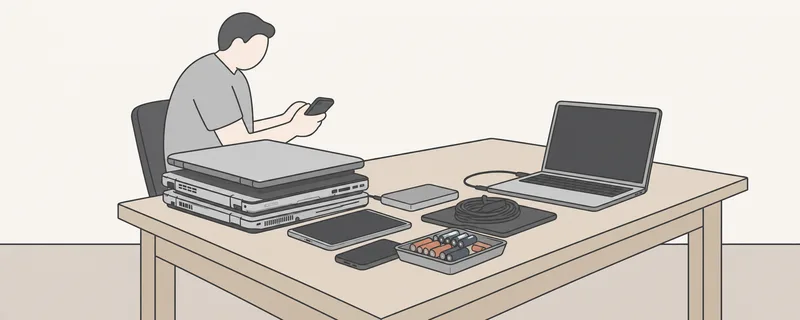
Every flat contains more electrical devices than you might expect: kitchen appliances, lamps, chargers, a radio and an old phone in a drawer. The article Waste disposal in the canton of Zurich provides an overview of all types of waste. This article covers devices, batteries and the data stored on them.
Returning electrical and electronic devices
The Ordinance on the Return, Taking Back and Disposal of Electrical and Electronic Equipment (VREG) requires anyone disposing of a device to return it to a retailer, manufacturer or waste disposal company (Art. 5). It may also be returned to a public collection point that accepts such devices.
Retailers must accept devices of a type they stock free of charge. Retail shops do so at their premises during opening hours (Art. 6). The SENS eRecycling take-back system also states that items can be handed in at retailers and collection points free of charge.
In the city of Zurich, electrical devices belong at a recycling centre. The mobile hazardous waste collection service does not accept them. In other municipalities, the local authorities determine where they are accepted. Check your municipality’s website.
Batteries
Consumers must hand batteries over to a retailer or manufacturer required to take them back, or to a designated collection point (Chemical Risk Reduction Ordinance, ChemRRV, Annex 2.15, section 5.1). Retailers that sell portable batteries must accept them free of charge at every retail outlet (section 5.2).
Lithium-ion batteries are found in phones, tablets, laptops and e-bikes. Because of their high energy density, they can heat up and catch fire. In guidance commissioned by the Federal Office for the Environment, INOBAT recommends covering the terminals with adhesive tape. Protect visibly damaged batteries, including swollen ones, against short circuits and also place them in a plastic bag. Keep such batteries separate and tell the collection point that they are damaged when handing them over.
Erasing data before a device leaves your hands
Computers, phones, tablets and USB drives often contain personal data. Collection points must comply with data protection requirements for storage media containing personal data (Art. 8 VREG). The National Cyber Security Centre (BACS) nevertheless describes a case in which data on a returned MacBook had apparently not been erased securely. You should therefore erase it yourself.
The BACS recommends:
- First back up anything the family wishes to keep, such as photos. Then sign out of the accounts on the device and disable functions such as “Find My iPhone”.
- On a smartphone, a factory reset usually erases all data. Modern devices encrypt their storage, and resetting deletes the key. Because security depends on the manufacturer’s process, the BACS also advises overwriting the data. For older devices without encryption, this is the only option.
- On a computer, data remains even after the recycle bin has been emptied. Specialist software overwrites the storage location several times, a process known as “wiping”, including the manufacturer’s recovery partition.
- An SSD is only destroyed effectively if every individual memory chip is damaged.
- Freely available wiping programs exist for USB drives, external hard drives and similar media. According to the BACS, their effectiveness is sometimes unclear. If in doubt, consult a specialist. Treat memory cards like USB drives.
Devices and accounts in an estate
When a person dies, ownership and possession of their property pass to the heirs by operation of law (Art. 560 para. 2 of the Swiss Civil Code, ZGB). This also applies to computers and phones. First establish whether the flat has been officially sealed: → Flat officially sealed: what heirs need to know now
For email, cloud and other service accounts, the relevant provider’s procedures apply. We cannot substantiate a general rule on this. Our guide’s information about digital estates is available here: → Documents in an estate: keep or destroy
If we clear a property, we return computers and phones to you beforehand so that you can back up and erase the data. You can read what happens to the remaining items here: → Flat clearance: what happens to the belongings?
Common questions on this topic
Do I need to reset an old phone myself before returning it?
What should I do with a swollen battery?
Your question is not here? Call us: 076 606 22 83.
Sources and date (9)
- VREG, Ordinance on the Return, Taking Back and Disposal of Electrical and Electronic Equipment (SR 814.620), version as at 1 September 2023, Art. 5 (obligation to return), Art. 6 paras. 2 and 3 (obligation to take back), Art. 8 (data protection) Statute, court or authority · retrieved 15 October 2026
- ChemRRV, Chemical Risk Reduction Ordinance (SR 814.81), version as at 16 July 2026, Annex 2.15 section 5.1 (obligation to return) and section 5.2 para. 1 (obligation to take back portable batteries) Statute, court or authority · retrieved 15 October 2026
- ZGB, Swiss Civil Code (SR 210), version as at 1 July 2026, Art. 560 paras. 1 and 2 Statute, court or authority · retrieved 15 October 2026
- National Cyber Security Centre (BACS): Week 16, recycling devices protects the environment (22 April 2025), Recommendations before sale or disposal: accounts, backup, factory settings Statute, court or authority · retrieved 15 October 2026
- National Cyber Security Centre (BACS): Week 10, how to dispose of a computer correctly (14 March 2023), Sections on overwriting, recovery partitions, smartphones, SSDs and USB drives Statute, court or authority · retrieved 15 October 2026
- City of Zurich: hazardous waste, Examples (batteries: package them or cover the terminals with tape), "Not accepted through these channels": bulky waste and electrical devices Statute, court or authority · retrieved 15 October 2026
- Canton of Zurich: hazardous waste, Important section: never dispose of hazardous waste in household waste or drains Statute, court or authority · retrieved 15 October 2026
- SENS eRecycling: returning electrical devices, Handing items in at retailers or collection points free of charge Professional practice · retrieved 15 October 2026
- INOBAT: tips for battery collections at retail outlets (guidance sheet, April 2024, commissioned by the FOEN), Section on collecting portable and lithium-ion batteries safely Professional practice · retrieved 15 October 2026
Last reviewed 15 October 2026.